

Requesting a refund
Wondering why we charged you (did you cancel your plan?) - Or just not satisfied with your service? This guide will show you how to request a refund
Requirements for a refund
Our refund requirements and simple to understand thankfully! If your transaction falls into these two camps you can request a refund:
- Your initial purchase was made in the last 24 hours (even if It's just a bit over we're fairly lenient)
- The payment for your service renewal was made in the last 24 hours (again we're pretty lenient)
How to request your refund
If you fall into one of the two camps above you can get a refund! To request one follow these steps:
Create a ticket in the billing area
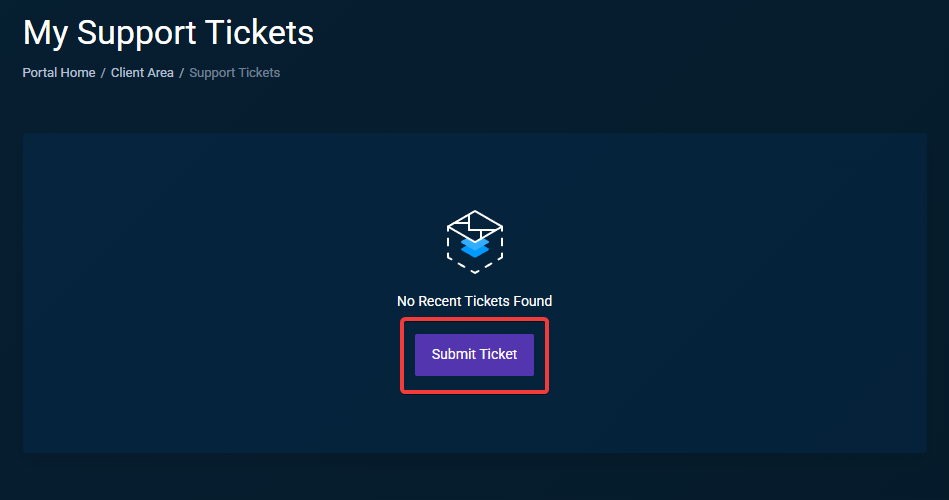
Go to the support tickets section of the billing area and click Submit ticket
Select the right category
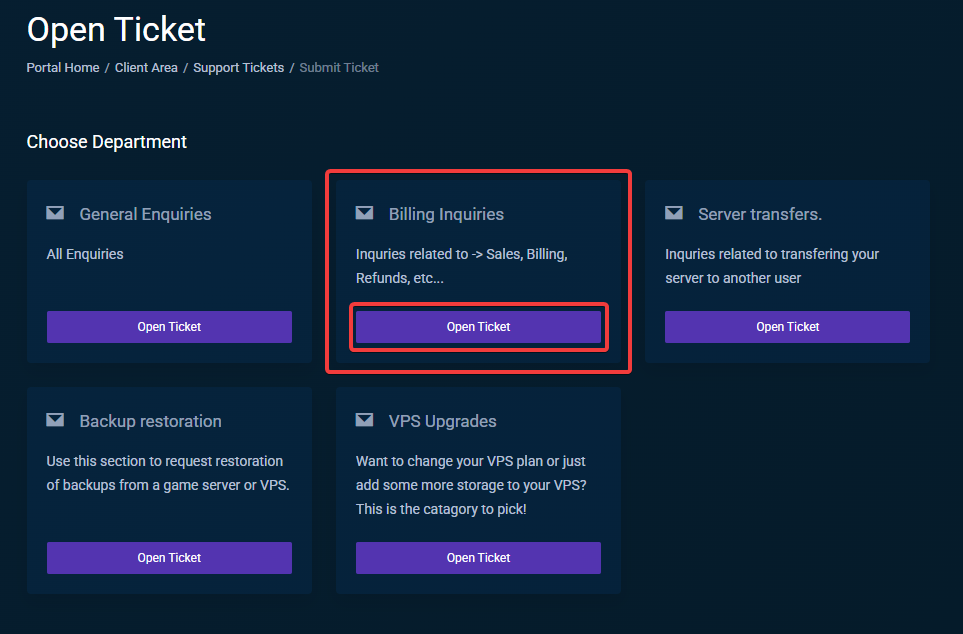
This section is important (at least for our staff) please select the Billing inquiries department!
Give us the details!
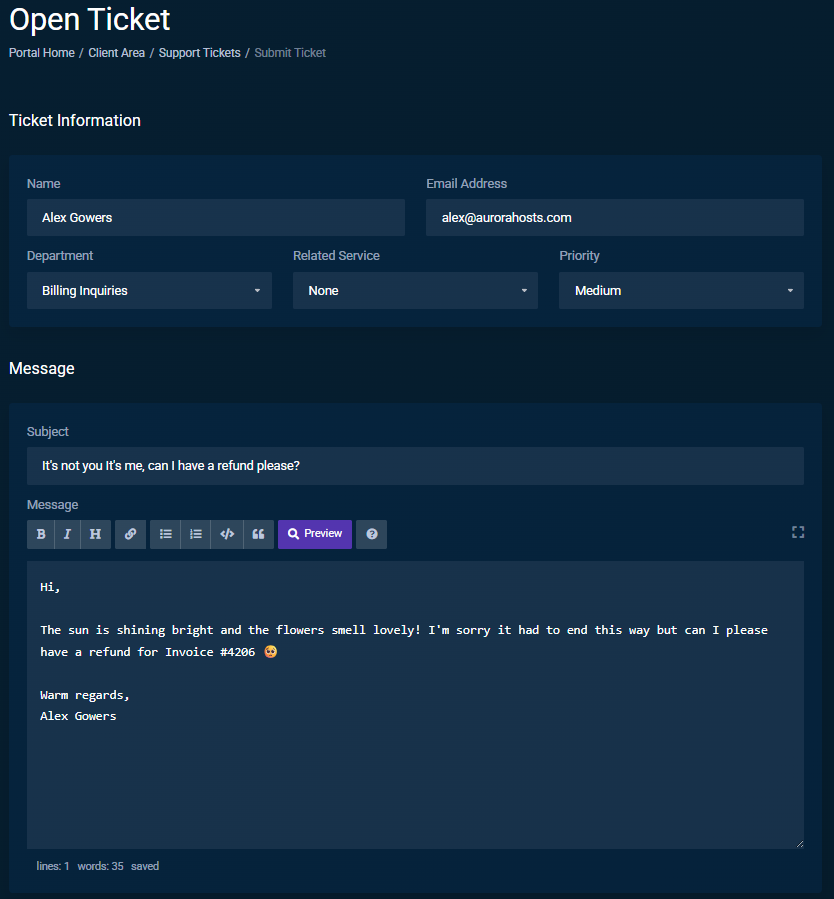
This is arguably the most important part of the process, when opening a ticket try and give us as much detail as possible so that we can process your refund quickly. Included below is an example of what you could say (If you're that nice it'll make our day, even if you aren't we're happy to chat with you 😊)
Generally you should include the following info:
- The Invoice # of the invoice you'd like refunded (ex: Invoice #4206)
- Any other details you'd like us to know
You're done! Time to wait
Once you've crafted a wonderful message for us we'll get back to you during our support hours which are displayed when you open the support ticket! Once we receive your ticket we'll check if you're eligible for a refund and then send it to your original payment method ASAP
How long will it take to get my refund?
As soon as we reply back to your ticket and state that a refund has been issued it'll typically take 24-72 hours to get back to your original payment method. Please note that this is only an estimate there are certain cases where a refund may take longer than the estimate.
I haven't received my refund yet?!
Sorry about that! But once we've hit the refund button on our end the the refund is no longer in our control, It's now up to Stripe (If you paid with Debit/Credit) or PayPal to take care of giving you your money back.
If you paid with Stripe (Debit/Credit cards) after 72 hours we can provide you with an Acquirer Reference Number (ARN) which will help you track your refund as moves through the payment flow